Memory Group Assignment
1. Prsss the [MENU] button to engage the Menu mode.
2. Rotate the [VFO-B/CLAR] knob (or press the ▲ / ▼ button) to select Menu item "042 MEM GROUP".
3. Prsss the [SELECT] button, then rotate the [VFO-B/CLAR] knob (or press the ▲ / ▼ button) to set this Menu item to "ENABLE" (the default setting is "DISABLE").
4. Prsss the [SELECT] button, then press the [MENU] button to save the new setting and exit. Operation will now be restricted to the six Memory Groups.
To cancel Memory Group operation, repeat steps (1) through (4) above, choosing "DISABLE" in step (3).
ADVICE:
Choosing the Desired Memory Group
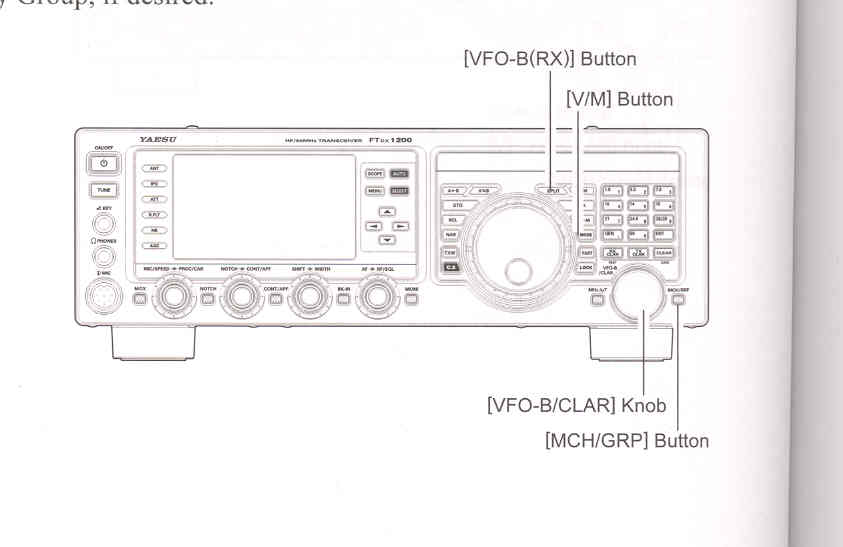
1. Prsss the [V/M] button, as necessary, to go to the "Memory" mode.
2. Prsss and hold in the [MCH/GRP] button for one second (located to the lower right of the [VFO-B/CLAR] knob). The "GRP" icon will appear on the display.
3. Rotate the [VFO-B/CLAR] knob to select the desired Memory Group.
4. Prsss the [MCH/GRP] button. The "MCH" icon will appear on the display.
5. Rotate the [VFO-B/CLAR] knob to select the desired Memory Channel within the Selected Memory Group.
ADVICE:
To avoid confusion, note that the PMS memory group and the PMS memories "P-1L" through "P-9U" will be so designated.
You may recall memories just within a particular Memory Group, if desired.
If no channels have been assigned to a particular Memory Group, you will not have access to that group.